




API and systems integration services that connect the tools you already run

Your CRM, your accounting tool and your support desk each hold a different version of the same customer, so somebody spends their week copying rows between them. We build the API, SaaS and data integrations that stop that happening, on Make.com, n8n, Zapier or custom middleware, including connectors for the systems nobody else supports.

Make.com Platinum Partner, Zapier Partner and n8n Certified Expert Partner, ISO 27001 and ISO 9001 certified.

Book a free consultation
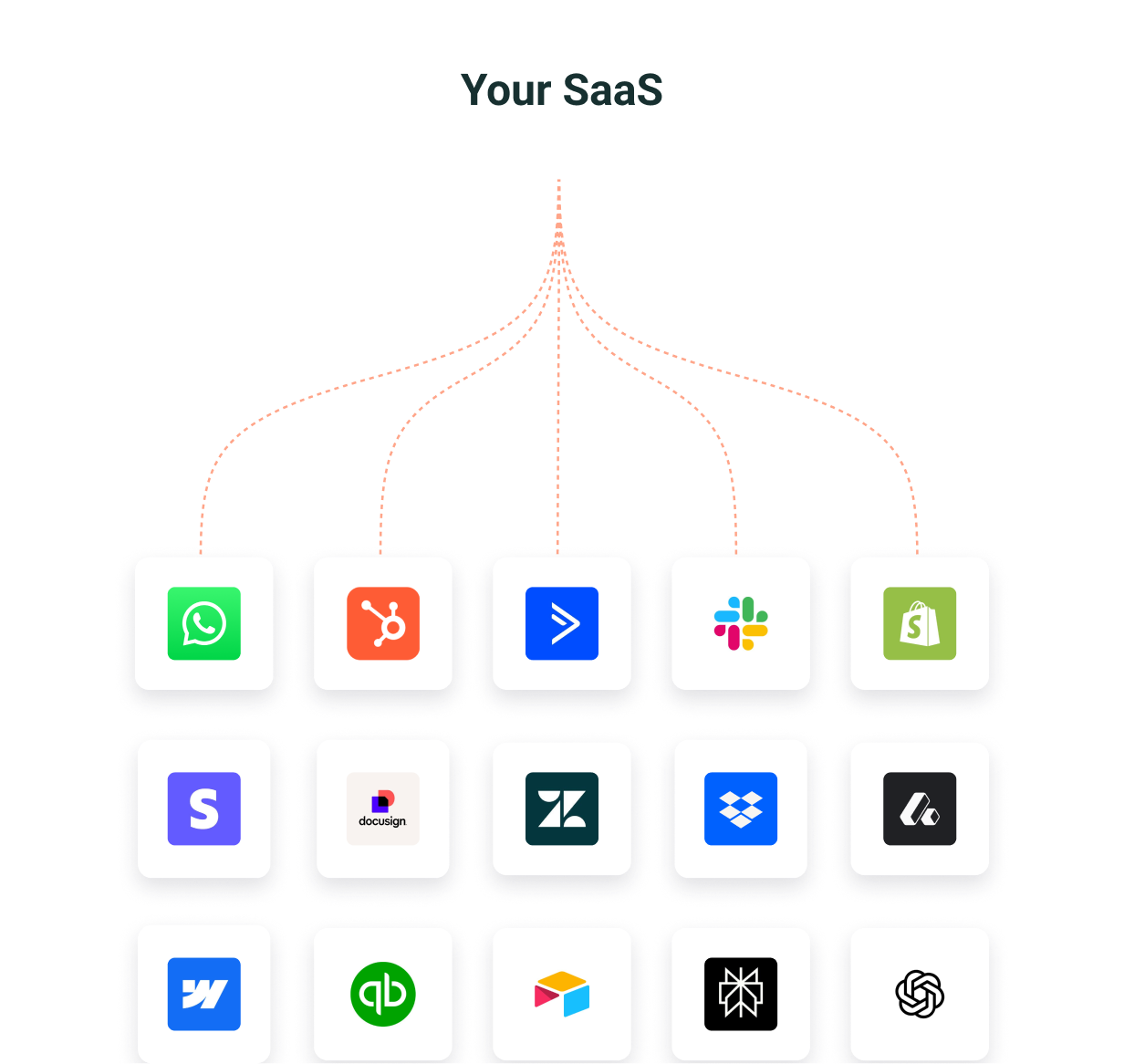
Makeitfuture API, SaaS and systems integrations overview

Companies we've worked with

  • Moodle
  • Kinderpedia
  • Decathlon
  • MeetGeek
  • MFR

Your tools are fine. The wiring between them isn’t.

Disconnected stack

  • The CRM, the accounting tool and the support desk each hold a different customer record
  • Somebody spends hours every week copying rows between systems
  • Two reports disagree and nobody can say which number is right
  • A lead sits in an inbox overnight before the right person hears about it
  • Your niche ERP has no connector, so it stays an island
  • Every new tool you buy adds another manual handover

Connected stack

  • One source of truth for each record, agreed before anything is built
  • Data moves between systems in seconds, with no retyping
  • Finance, sales and support pull the same number from the same place
  • Leads reach the right person while they’re still warm
  • Custom connectors for the systems no platform supports out of the box
  • Failures show up in logs and alerts instead of in a customer’s inbox

What we offer

Our API, SaaS and systems integration services

  • API integration and custom connectors

    We connect third party APIs to your stack and build connectors for the tools that have none: your niche ERP, the local invoicing tool, the internal system somebody built in 2014. REST, GraphQL, SOAP and webhooks are routine work for us, and if a system only has scheduled exports we can usually work with that too.

  • Systems integration and middleware

    When several systems need to agree before anything is written, point to point connections stop being enough. We design the layer that sits between them, handles retries and errors, and gives you somewhere to look when something breaks overnight.

  • SaaS integration for your existing stack

    We map the SaaS tools you already pay for, decide which system owns each record, then build and monitor the flows between them. Most projects start here, and the business case is usually the admin time your team gets back.

  • Data integration and sync

    Customers, orders, invoices and stock need to match wherever they appear. We set the source of truth per record, map and deduplicate fields, and run real time or scheduled sync with reconciliation checks, so finance and sales report the same number.

  • CRM and ERP integration

    The two systems that cause the most pain, because they hold the records everything else depends on. We connect HubSpot, Salesforce, Business Central, Odoo and the rest to the tools around them.

  • Ongoing support and monitoring

    APIs change, tokens expire, a vendor deprecates an endpoint without telling anyone. We monitor what we build and fix it under SLA, so the integration doesn’t quietly rot six months after go live.

API integration for the systems no platform supports

Most of the integrations we build involve at least one tool with no ready made connector.

  • Custom connectors built against your system’s API, with authentication, pagination and rate limits handled
  • File, SFTP and database level integration where no API exists
  • An honest answer during discovery if a system genuinely can’t be reached

A middleware layer you can debug

Queuing, retries, error handling and an audit trail, so a failed sync doesn’t just disappear.

  • Retry and queue logic sized for the volume you expect next year, not just today’s
  • A replayable log of every message, for compliance and for reconciliation
  • Systems stay swappable, so replacing your CRM doesn’t mean rebuilding twelve integrations

Connect the tools you already pay for

You don’t need new software. You need the software you have to agree with itself.

  • A written map of your systems and the data each one owns
  • Source of truth agreed per record before a single flow is built
  • Monitoring on every flow, so a silent failure doesn’t become a month of bad data

One version of every record

Data integration is mostly agreement work: which system wins, which fields matter and what happens to duplicates.

  • Field mapping and deduplication rules agreed with the people who use the data
  • Real time, scheduled or batch sync, chosen by how fresh each record needs to be
  • Reconciliation reports that flag a mismatch before month end does

Start where the records live

Get the CRM and the ERP right and most of the downstream mess resolves itself.

  • Two way sync with clear rules about which side wins a conflict
  • Deduplication and field mapping agreed with the people who use the data
  • A parallel run against your manual process until the numbers match

Integrations decay unless somebody watches them

The failure mode is rarely a crash. It’s a flow that silently stops running and nobody notices for a fortnight.

  • Alerting on failed and skipped runs, not just on outages
  • 24/7 monitoring and support under SLA
  • Changes handled when your tools change, without a new project every time

Integration types

Which type of integration do you need?

Suppliers use these terms loosely and they overlap. This is how we use them when we scope a project, so you can tell which one describes your problem.

Integration typeWhat it connectsA typical projectHow we usually build it
API integration Your systems to a third party service, or to another system’s API New Shopify orders pushed into your ERP, with stock levels sent back to the shop Make.com, n8n or a custom connector, with authentication, rate limits and retries handled
Systems integration Several business systems that have to work as one process A CRM, an ERP and a warehouse system agreeing on an order before it ships A middleware or iPaaS layer with queuing, an audit trail and one owner per record
SaaS integration The cloud tools your teams already use every day HubSpot, Xero and Zendesk sharing one customer record Native connectors where they’re good enough, scenarios and workflows where they aren’t
Data integration Data from many sources into one consistent view or store Sales, finance and product data synced into BigQuery for reporting Real time or scheduled sync, field mapping, deduplication and reconciliation

Moving data once, out of a legacy system or into a new platform, is a migration rather than an integration, and our data migration services cover it. Connecting AI models to the systems you already run is AI integration.

Protocols and formats we work with

  • REST
  • GraphQL
  • SOAP
  • Webhooks
  • OAuth 2.0
  • SFTP and CSV
  • Direct database access

What you get

How can API and systems integration help you?

  • 10 to 20 hours saved per employee, every week

    That’s what clients usually stop spending on manual data entry once their core systems talk to each other. It’s also the number that makes the business case, because your finance director can check it.

  • 30 to 40% lower operating costs

    Measured on the processes we automate, against what the same work cost when it was done by hand. Most projects pay for themselves within 3 to 6 months on time savings alone.

  • Up to 90% fewer manual errors

    Copy and paste has a failure rate that nobody measures. Automated flows have logs, alerts and a replay button, so a mistake shows up before a customer finds it.

  • One version of the number

    When finance, sales and support pull the same figure from the same source, the weekly argument about whose report is right goes away.

  • Faster reaction time

    A lead that reaches the right salesperson in seconds instead of the next morning is a different lead by the time they’re called.

  • Room to add tools without chaos

    A stack with a designed integration layer can absorb the next system. A stack held together by forty point to point connections can’t.

Systems integration

When do you need middleware, and when don’t you?

Plenty of integration problems don’t need a middleware layer, and plenty of agencies will sell you one anyway. Here’s the honest split.

A direct connection is enough when

  • Two systems need to talk and the data flows mostly one way
  • Volume is modest and rate limits aren’t in sight
  • Both ends have a stable, documented API
  • A native connector or a single scenario already covers it

You need middleware when

  • Three or more systems need the same data and you can’t say which one owns it
  • What happens next depends on conditions across more than one system
  • A failed sync can’t just disappear, so you need retries and queuing
  • Volume is high enough that rate limits and batching matter
  • You need an audit trail, for compliance or because reconciling by hand became somebody’s job
  • Systems have to stay swappable as the business changes

What are the four types of system integration?

  1. Point to point

    One direct connection for each pair of systems. It’s quick to build and fine for two or three tools, but every new system adds more connections to maintain.

  2. Hub and spoke

    Every system talks to a central layer instead of to each other, so adding or replacing a tool means changing one connection rather than several.

  3. Service bus or iPaaS

    A shared platform such as Make.com, n8n, Workato or Azure Service Bus routes, transforms and queues messages between systems, with monitoring in one place.

  4. API led

    Systems expose reusable APIs in layers, so new apps and AI agents can use the same access without another bespoke integration.

How to choose middleware built for API orchestration

Start with where it has to run. If your data can’t leave your infrastructure, self hosted n8n or a custom service is the answer, and hosted iPaaS pricing stops mattering.

If it can leave, compare three things: how the tool handles a failure halfway through a multi step flow, whether you can replay what happened, and the cost at ten times your current volume.

Read our iPaaS comparison guide

We build on Make.com as a Platinum Partner, on n8n as a Certified Expert Partner, on Zapier as a Zapier Partner, and on Workato, Power Automate and custom services. We’ll recommend the one that fits rather than the one we’d prefer to sell.

Systems we connect

Which systems can you integrate?

If it has an API, an export or a database we can reach, we can usually connect it. These are the categories we work in most often.

  • CRM

    HubSpot, Salesforce, Pipedrive and Zendesk Sell, kept in step with marketing, finance and support so every team sees the same customer.

    CRM integration services
  • ERP and finance

    Business Central, NetSuite, SAP, Odoo, Xero, QuickBooks, Exact Online and AFAS, with invoices, payments and ledger entries flowing without rekeying.

    ERP integration services
  • Ecommerce and marketplaces

    Shopify, WooCommerce, OpenCart and marketplace APIs, so orders, stock, prices and product data stay aligned across every channel you sell on.

    Ecommerce automation services
  • Payments and invoicing

    Stripe and local invoicing tools such as Oblio, connected to your shop and your ledger so a payment produces the right invoice and the right accounting entry.

    Accounting automation
  • HR and recruitment

    Personio, BambooHR, HiBob and Bullhorn, connected to payroll, IT accounts and onboarding tasks so a new starter is set up from one record.

    Employee onboarding automation
  • Support and messaging

    Zendesk, Intercom, Freshdesk, Slack and WhatsApp, so a conversation reaches the right system with the customer’s order and account history attached.

    WhatsApp automation
  • Databases and legacy systems

    PostgreSQL, MySQL, SQL Server, BigQuery, Azure Service Bus and SFTP file drops, including internal tools that only expose a database. When a legacy system is retired, we move its data out as well.

    Data migration services

The five stages

How does an API integration project work?

  1. Discovery, about a week

    We map your systems, the data each one owns, and where the manual work sits. You get a written scope with a fixed price, whether or not you carry on with us.

  2. Architecture, one to two weeks

    We agree the source of truth for each record, pick the platform, and design the error handling before anything gets built.

  3. Build, two to six weeks

    A simple two system sync can be live in days. A multi system flow with custom connectors takes longer, and we’ll tell you which one you have during discovery rather than after.

  4. Testing and handover

    We run the new flows in parallel with your manual process until the numbers match, then switch over.

  5. Support under SLA

    Monitoring, fixes and changes when your tools change. 24/7 monitoring and support, with fixes handled under SLA.

Pricing

How much do API and systems integration cost?

The price depends on the work between the systems more than on the number of systems. We fix the price of discovery and give you a written scope you can take elsewhere, then quote the build against that scope.

What moves the price

  • Whether ready made connectors exist, or we need to build a custom connector against an API
  • How much logic sits between the systems: conditions, transformations, approvals and exceptions
  • Volume and freshness, because real time sync at high volume needs queuing and rate limit handling that a nightly batch doesn’t
  • Data quality, since deduplication and clean up before the first sync is often the largest single task
  • Security and hosting requirements, such as self hosted n8n inside your own infrastructure

Platform costs for Make.com, n8n hosting, Zapier or Workato are billed separately, and we size them against your real volume rather than the headline plan. Monitoring and support after go live is agreed separately, under SLA.

Get a fixed price discovery

For software companies

Building integrations into your own product

If you sell software rather than buy it, the problem runs the other way. Your users keep asking for integrations you don’t have time to build, and every one you skip is a deal that goes quiet.

We build Make.com apps, Zapier integrations and n8n nodes for SaaS products, so your users can connect you to the 6,000+ tools those platforms already reach without you maintaining a connector for each one. That covers the app itself, the templates your users start from, and the support when their flows break.

FAQs about API and systems integration

  • What are API integration services?

    They cover the design, build and upkeep of connections between your systems through their APIs, so data moves and actions trigger automatically instead of being copied by hand. A good provider also handles what sits around the connection: authentication, rate limits, error handling, monitoring and what happens when a vendor changes its API.

  • What does a systems integrator do?

    A systems integrator makes separate business systems work as one process. That starts with deciding which system owns each record, then building the connections, the middleware between them and the monitoring that tells you when something fails. We do this for CRM, ERP, finance, ecommerce, HR and support systems, on integration platforms or in custom code depending on the job.

  • What are the four types of system integration?

    Point to point, where each pair of systems has its own connection; hub and spoke, where every system talks to a central layer; a service bus or iPaaS platform that routes and queues messages between systems; and API led integration, where systems expose reusable APIs in layers. Most companies we work with run a mix, and the right one depends on how many systems share the same data.

  • What are the types of data integration?

    The common approaches are manual exports, application sync between live systems, ETL or ELT pipelines into a data warehouse, middleware that routes data between systems, and federated access that queries data where it lives. Most of our projects combine application sync for day to day records with a pipeline into reporting.

  • What are the stages of an API integration project?

    Ours run in five: discovery, architecture, build, testing in parallel with your current process, and support. Discovery and architecture take one to three weeks between them, and that is where most of the risk is removed, before any build starts.

  • How much does API integration cost?

    It depends on whether connectors already exist, how much logic sits between the systems, your volume and the state of your data. Discovery is fixed price and gives you a scope you can take elsewhere if you’d rather. Platform costs for Make.com, n8n hosting or Zapier are separate, and we size them against your real volume rather than the headline price.

  • How long does an integration take?

    A two system sync using existing connectors goes live in days. A flow across several systems, with custom connectors and real error handling, usually runs two to six weeks from scope to production. We give you the timeline in writing after discovery, not before.

  • Should we use a custom integration or an off the shelf connector?

    Use the native connector when it covers the fields and the volume you need, because it’s the cheapest thing to maintain. Build custom when the connector skips fields you depend on, can’t cope with your volume or error cases, or doesn’t exist. We check this field by field during discovery.

  • What happens when a third party API changes?

    Vendors version and retire endpoints, sometimes with little notice. We monitor every flow we maintain for failed and skipped runs and update the integration under SLA when a vendor changes or retires an endpoint, so the change shows up as a ticket rather than as a fortnight of missing data.

  • Can you connect a tool that has no native connector?

    Yes, and it’s most of what we do. If the system has an API we build a custom connector. If it only has scheduled exports or a database we can reach, we work with that instead. If there’s genuinely no way in, you’ll hear that during discovery rather than after you’ve paid for a build.

  • Who should we hire to integrate our SaaS tools?

    Someone who works across platforms rather than reselling one. An agency tied to a single iPaaS will recommend it whether or not it fits your volume, your data residency rules or your budget. Ask any shortlist what they’d do if the best answer turned out to be a tool they don’t sell.

  • How do I choose middleware built for API orchestration?

    Start with where it has to run. If your data can’t leave your infrastructure, self hosted n8n or a custom service is the answer and hosted iPaaS pricing doesn’t apply. If it can leave, compare how each tool handles a failure partway through a multi step flow, whether you can replay what happened, and the cost at ten times today’s volume. Most tools look similar until one of those three questions gets asked. Our iPaaS comparison guide goes through the options in more detail.

  • Do we have to switch platforms to work with you?

    No. If you already run Make.com, Zapier, n8n or Power Automate, we work inside it. We only raise migration when your current platform costs you significantly more than the alternative at your volume, and we’ll show you the maths before you decide.

  • Is our data safe?

    We’re ISO 27001 and ISO 9001 certified, and our work is designed for GDPR compliance. Where data can’t leave your environment, we deploy self hosted n8n or custom services inside your own infrastructure rather than routing it through a hosted platform.

  • Is this the same as AI integration?

    No, and it helps to name the right one. API and systems integration connects business tools to each other, building the connections and workflows your stack needs. AI integration is a different job: connecting AI models to your existing systems so they can read your data and act inside your tools. We do both, and they are part of our wider AI services; if your goal is to put AI to work inside your stack rather than connect two apps, start with AI integration.

Ready to grow and agentify your business?

Let's find together where you can implement AI and automation securely, and built to last.

Book a strategy call
  • Addmark logo
  • Red Club logo
  • Players Poker logo
  • CleanCat logo
  • Capace cu Suflet logo